Build & Edit Websites by Intent. Visually.
Describe your vision directly on canvas—just like giving natural feedback to a designer—and let the AI agent craft the content, layout, and animations to bring it to life. Enjoy complete creative freedom with zero constraints from complex panels or blind text prompts.
Run dev server and open /aiditorto start
Why Traditional Web Builders Fall Short
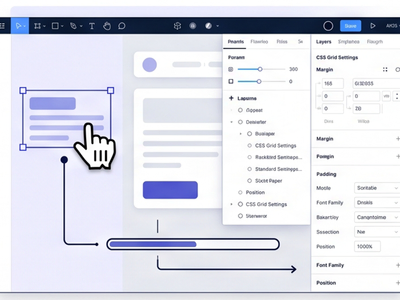
Selection-Based Editors
Requires clicking through complex panels, endless nested layers, and manual CSS tweaks for every minor change.
❌ High friction, slow iteration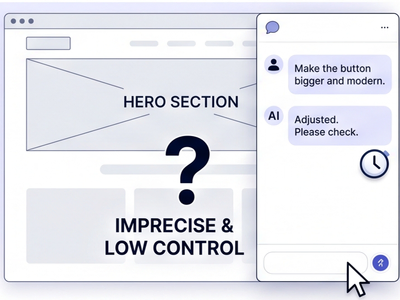
Non-Visual AI Agents
Prompting in a side-panel chat makes it difficult to pinpoint specific visual elements or fine-tune micro-interactions like animations and transitions.
❌ Imprecise, low visual control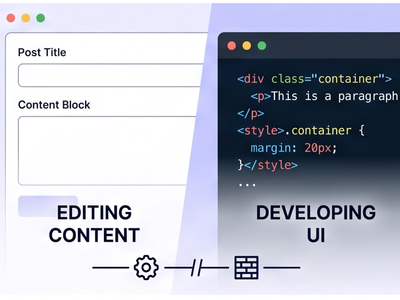
CMS & Custom Code
Decouples the content from the design. Requires heavy development overhead for UI updates and limits creative freedom.
❌ Rigid, engineer-dependentIntent-Driven Intelligence Meets Canvas Precision
Direct On-Canvas Context
Point at any section, element, or interaction directly on the page. No need to describe where things are in a text chat — AIditor sees exactly what you see and sends full visual context to your agent.
Design System & Animations
Request design tokens, hover effects, scroll animations, and transitions by dragging from the Add menu or typing an @mention. Every request carries ready-made agent context so changes follow your project's design language automatically.
An Agent That Actually Sees Your Screen
Aiditor pairs natural conversation with real-time visual perception. Your agent doesn't just read your prompt—it sees your screen, understands the layout in context, and applies changes with pixel-level precision.
What is AIditor?
AIditor is the visual editor for Jay Stack. Open your project, preview any page live, annotate on the canvas, and send change requests to your AI agent.
Every page, live in the editor
Your whole project runs inside AIditor. Switch routes from the Pages panel — what you see is the real site, not a mockup.
Point, describe, done
Click what you want to change and write a short instruction. AIditor captures context and screenshots so your agent knows exactly what you mean.
Add more pins before you send
Keep annotating — place another pin on a different element and write a second instruction. AIditor collects every marker so you can send several changes in one request.
Send to your agent
When your annotations are ready, send them all at once. Your agent reads every marker, screenshot, and instruction — then implements the changes in code. Watch the preview update when the agent finishes.
Drag from the catalog
The + Add menu lists ready-made change requests packaged by Jay plugins integrated with AIditor — each item is an instruction for your agent. Drag one onto the page to start a request.
@ Autocomplete
Type @in any instruction to open autocomplete. It lists every + Add menu item and more — non-visual references plugins choose to expose, like e-commerce categories or page routes. When you select an item, your agent gets ready-made change context for that choice.
Capture motion and hover states
Hover states, motion, and animations do not show up in a still screenshot. HitREC, interact with the page, then pin and annotate the moments that matter.
From recording to implementation
Scrub the timeline, add pins at key frames, and leave notes at any timestamp. Send the recording with your annotations — your agent reads the video plus context at every moment you mark, implements the change, and the preview updates with the result.
Start building with AIditor
Install the plugin in any Jay project, run the dev server, and open/aiditor. Your agent does the coding — you point and describe.